
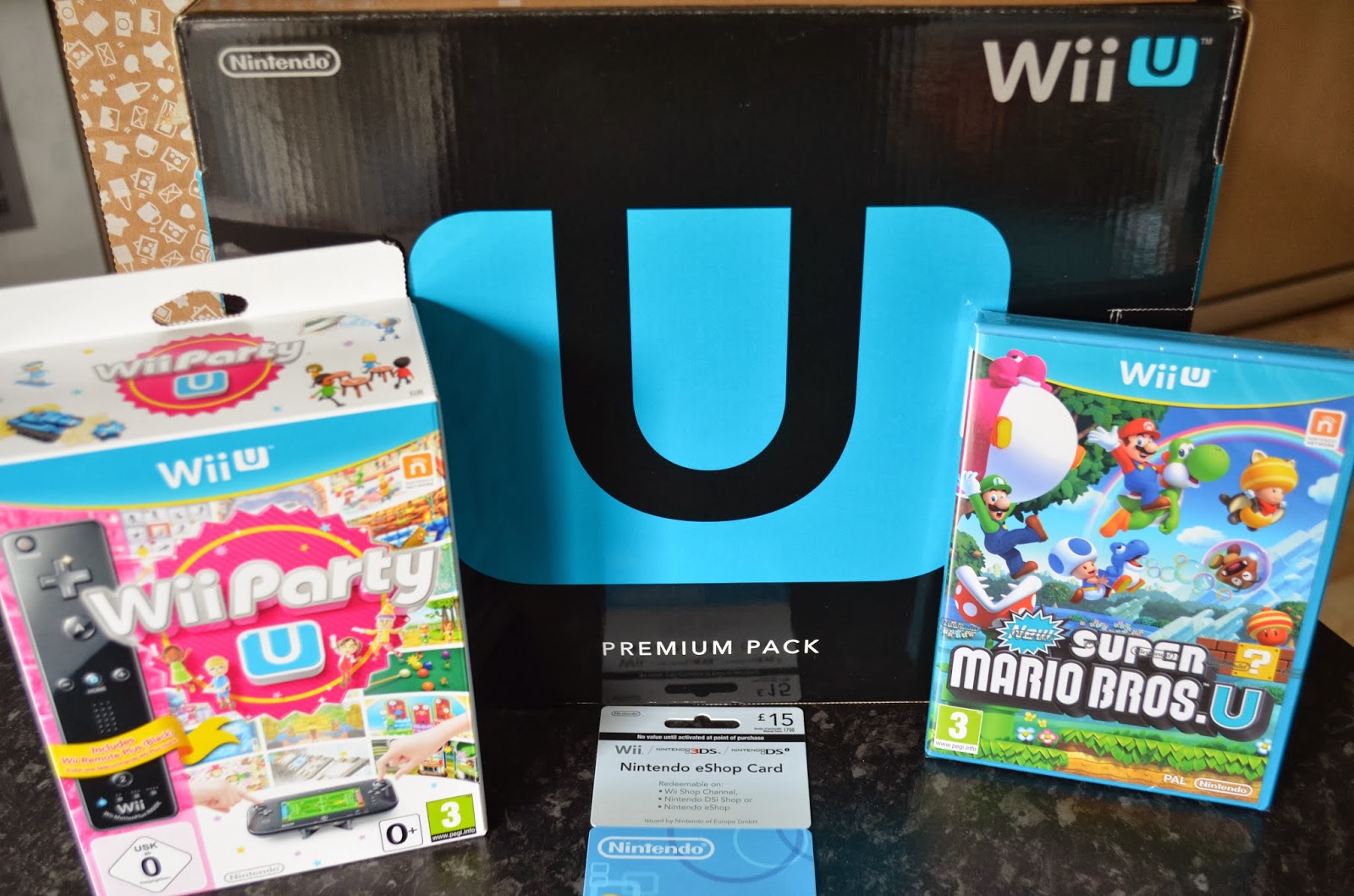
It is fair to say that I am rather popular in this house at the moment. We have been very lucky to have the chance to review one of THE latest games consoles from Nintendo; the Wii U. We were sent the Wii U Premium Pack in Black which includes Nintendo Land as part of the package and we also received the new Super Mario Bros U and Wii Party U games and a £15 Nintendo gift voucher that can be used to buy games from the Nintendo eShop. I actually thought that L was going to combust, he was so excited.
I have always been a big fan of the Wii. Our old Wii, has been in our house for a few years now and I bought it for myself originally as I loved the idea of being able to play sport games and do exercise using the console. As the years have passed however, the Wii has been used by the children a lot more than me and we have acquired a good range of games and accessories over the years. As our old Wii was starting to play up, we had been looking at the Wii U with a view to maybe buying one and I was really interested to see what it was and how it was different to the original Wii console.
So what exactly is the Wii U?
Like the original Wii console, it is a games console that has all of the original features and is compatible with all of the original controllers, accessories and games but in addition the Wii U has a new 6.2 inch touch screen controller; the game pad, that adds a new dimension to the Wii games.

Is it easy to set up?
In the box, there is the Wii U console, the Wii U touch screen game pad, stands for the controller and the console, a sensor bar, adapters for the game pad and the console, a HDMI cable to attach the console to the television and the Nintendo Land game. It sounds complicated, but it is very easy to set up and of course there are instructions on how to set it up too.
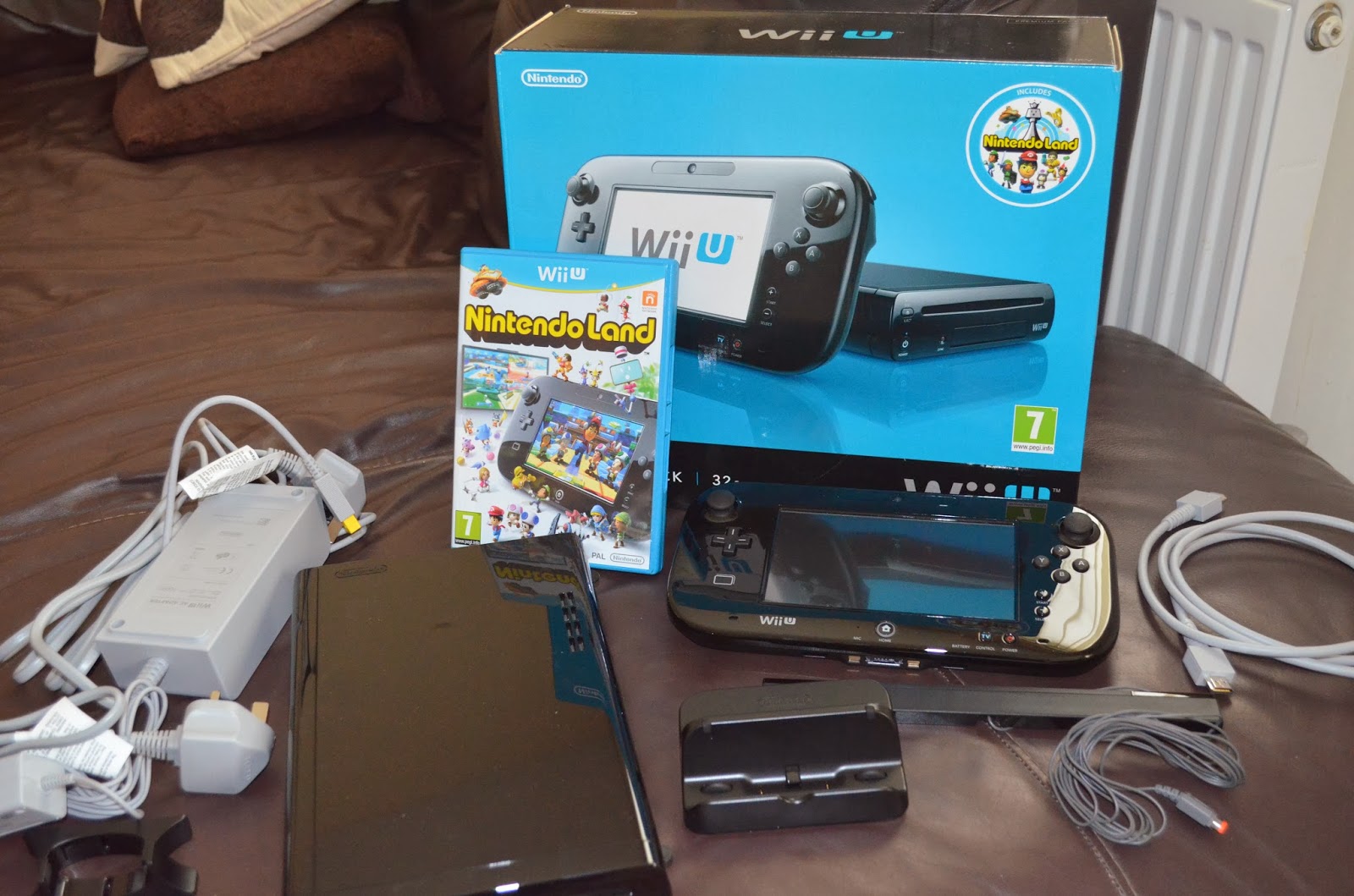
We already had a Wii, so it was quite easy to set up for me, but I can honestly say that even if this was your first ever Wii, it wouldn’t take longer than about fifteen minutes to get everything in place. The Wii U console itself is small and narrow and can fit into a very small space out of the way.

Once everything is plugged in, you need to charge up your game pad as you need this for the on screen set up. Again, this takes a few minutes and you are ready to start playing.

At this point, you can play, however, you do also need time to set up a Network ID to be able to use some of the other features such as the eShop or the Miiverse. Again, this takes around ten to fifteen minutes but it can add up if like me you have impatient children who are waiting to get going. I started off with the basic set up and let them all have a play and then went back later on and did the Network ID.
How does it compare to the original Wii?
It has all of the original features of the Wii and has made it all bigger and better. The thing that I have always loved about the Wii is the physical nature of many of the games and that it is perfect for us to play together on as a family. This hasn’t changed. The new Wii Remote Plus controllers work in the same way as the original controllers but they are more responsive and more accurate. The new Wii console also enables you to play the games in High Definition and even my husband commented on how much better and clearer the graphics are.
So what is different? Well the Game Pad adds a whole different dimension to the games. You can have one player playing on the Game Pad whilst everyone else plays with the other controllers, but in some games, it is a shared device and in Wii Party, for example, you swap the Game Pad around to take turns in the games. There are often different views, messages and activities on the Game Pad too.
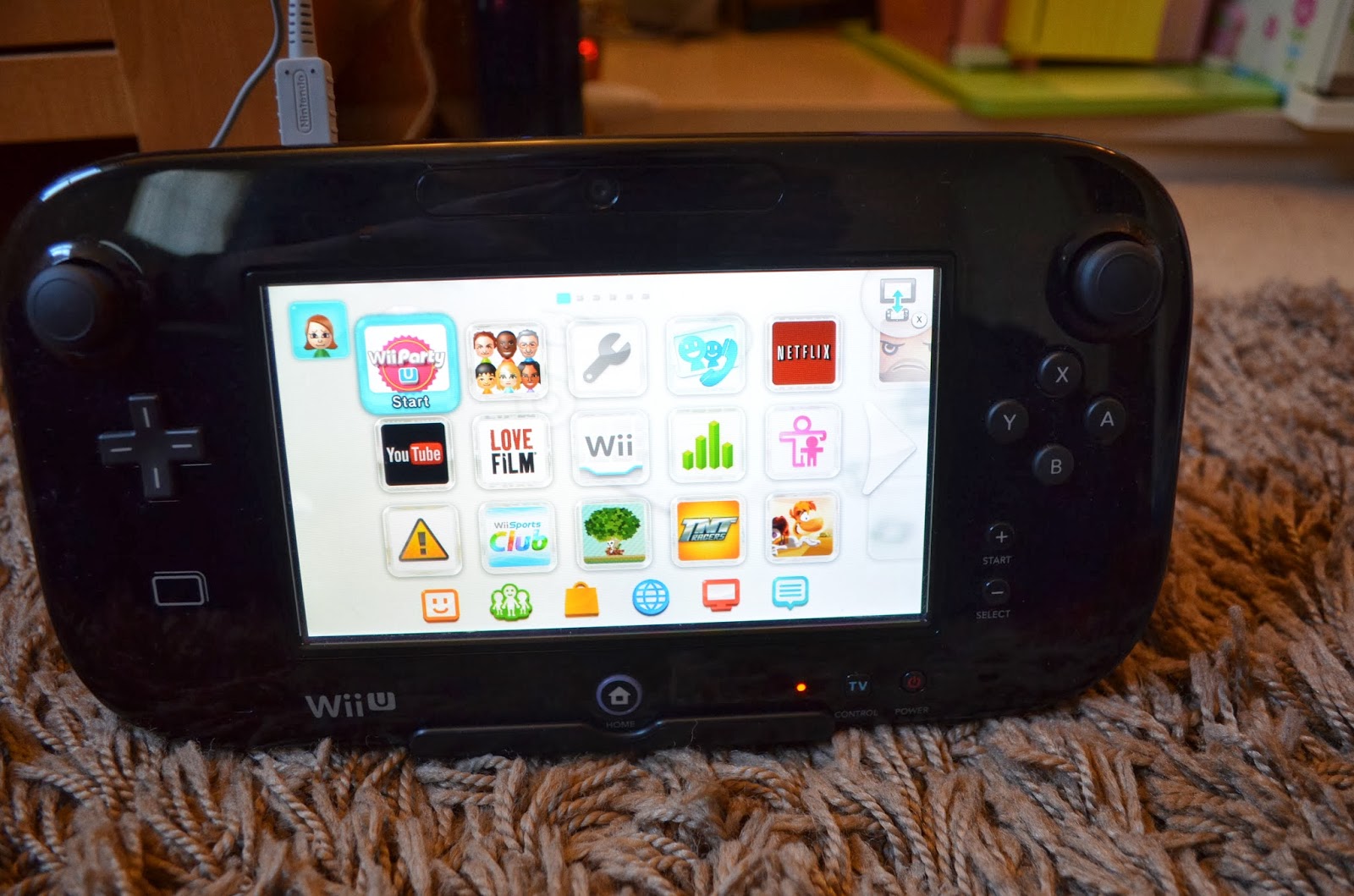
You use the Game Pad to set up and it has a stylus for you to input all the passwords and names. The other thing that we particularly liked about the Game Pad is that you can continue playing on it whilst someone is watching something else on television; ideal for those children that are always in the middle of a game when the someone else wants to watch something. The Game Pad is touch screen and you can use your finger or the stylus that comes with it.

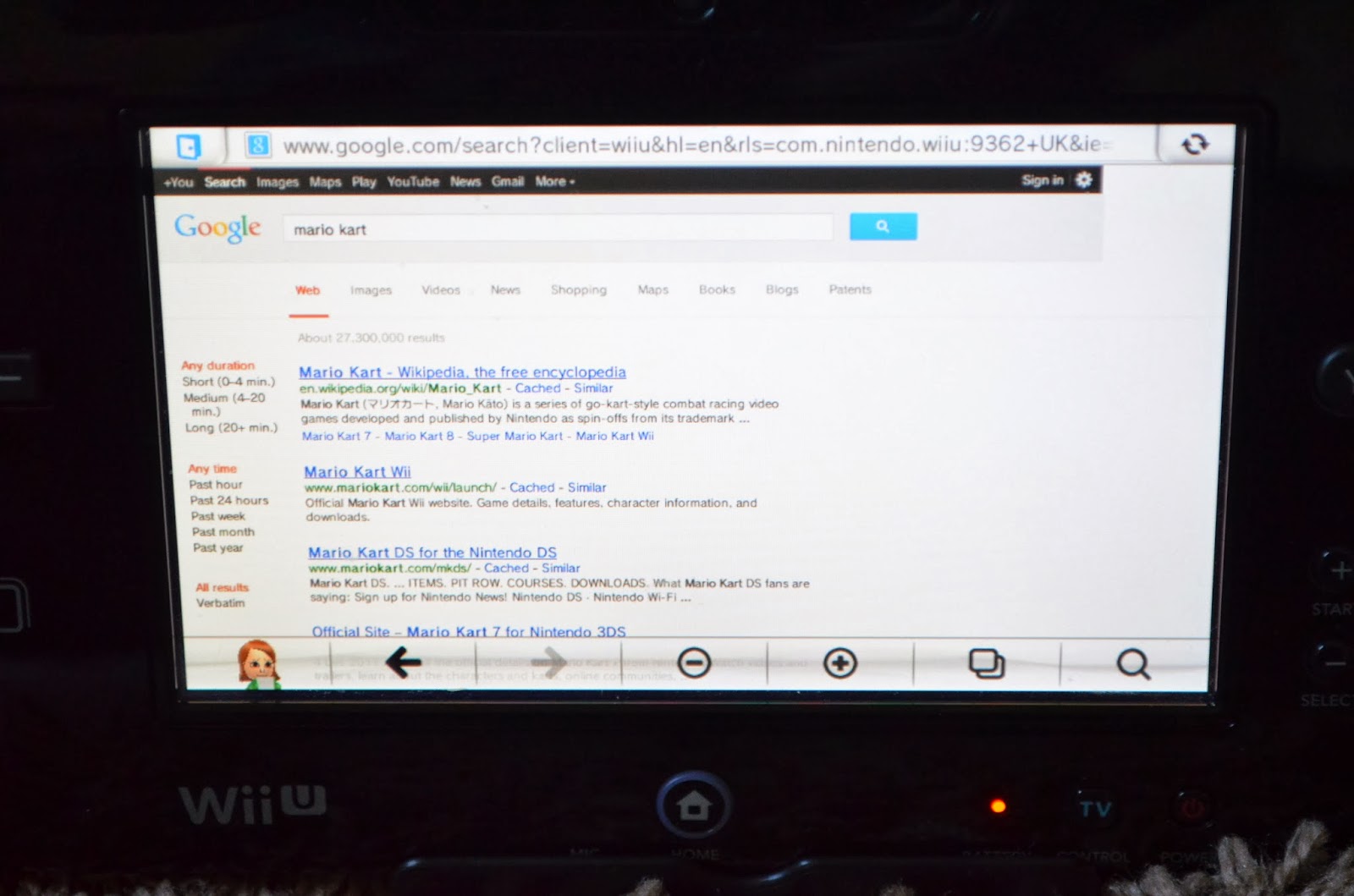
The Wii U console is also like a multimedia centre; you can access the internet using the Game Pad, you can access and watch You Tube videos, if you have a subscription to Netflix or Love Film, you can also access their extensive libraries of films and television programs. I have subscribed to Netflix to see what it is like (the first month is free and it costs £5.99 a month after that) and it is really easy to use and there is a really good range of films and series that I have earmarked to watch over the next few weeks.
In addition to all of that, there is the Mii maker which is always popular in this house and L in particular was relieved to see that he could still do that. There is also the Miiverse which is an online community which allows you to connect with friends or join communities around the world and you can send and receive messages which can be typed or hand written using the Game Pad.
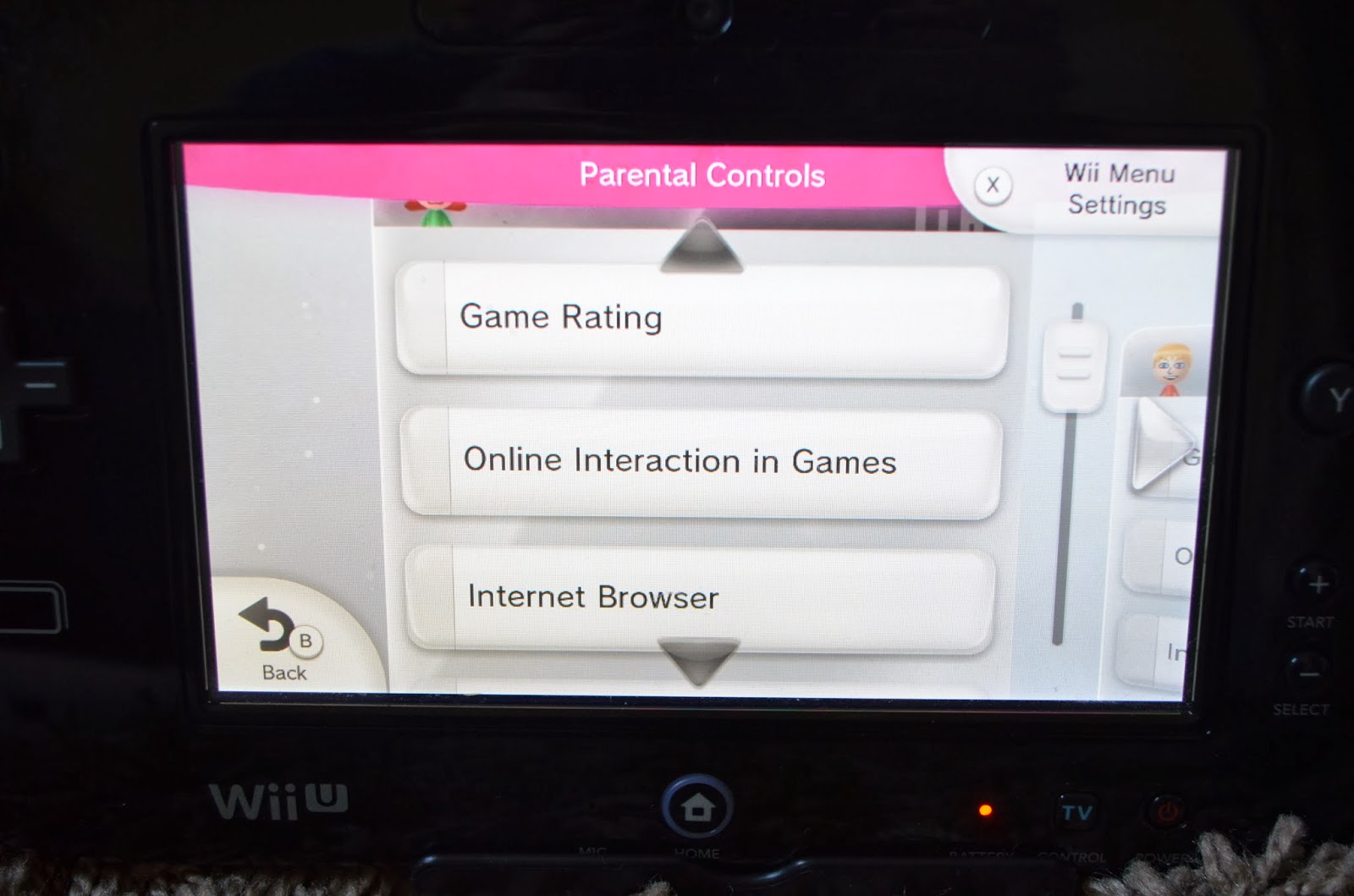
Obviously as a parent, there are elements of the Wii U that ring alarm bells; internet, online communities, access to films and TV programs, but you don’t have to worry. There is a Parental Controls section that you can set up via the Game Pad. For each person that is registered on the system, you can add individual age restrictions to games and you can lock down all of the other elements so that they need a password to go online or onto the Miiverse or access the other apps. This is easy to set up and I find that particularly useful having a nine year old who thinks he is nineteen.

The eShop was available on the original Wii console but it wasn’t something that we had ever used, so the boys were keen to spend the voucher. At least one person has to have a Network ID to access the shop and then you can browse through the list of games that are available to buy. There is a reasonable range of games, some free downloads, some cheaper old style games and some full price newer games. To buy them, you put them in your basket and checkout with your gift voucher and then the games take a few minutes to download. Once downloaded, they can be accessed via the home screen.
Is it good for families?
Definitely. Even with all of the new functions and the Game Pad, this to me is a family games console. We have had great fun already playing Wii Party and the boys enjoyed trying out all of the different games together. I like the fact that the games can be played by all of us and there is enough to amuse R and the teen, but A who is only three can also join in too. Even if you are playing individually, it suits all of the age groups and with the new range of games that are out and coming out, there will be plenty of different games for Father Christmas to add to his list and each of the children has already at least one game that they would like. There are also a couple that I would like too (a subtle hint to any family members reading).


My one concern with the Game Pad was that if one of the children was playing on their own, it becomes a solitary affair and they become wrapped up in their own little world of gaming, but it is similar to the DS and at least, they are still sat with us and you can keep an eye on it rather than them disappearing off to their rooms, so I am happy that this is a good addition to the Wii and not a negative.

The Wii U Premium Pack retails at around £250 and if you were buying a Wii for the first time, you would need to buy additional controllers, so it is not cheap. However, having looked around at other games consoles, this is not any more expensive than the latest models of other consoles and I really do think that this is the best family friendly console on the market and with all of the extra features, it is good value and a worthwhile investment. As I said before, my old Wii console is still going after five years of constant use, so I am pretty confident that this one will last too.




Great review, we love ours!